العربية

Telegram Channel vs Group: Choosing the Right Setup
Published 2026-11-16
A customer asks which order link to submit. Another posts a payment screenshot. Your service update disappears under both messages. For an SMM reseller, one busy Telegram chat can quickly become an awkward mix of announcements, general advice and private support. Choosing a channel or group is really a decision about which of those jobs belongs together.
Choose a channel when a small publishing team needs to broadcast updates. Choose a group when conversation between members is the point. A channel with a linked discussion group can serve both needs, provided someone is ready to moderate the discussion.
Considering a Telegram SMM panel as well? Choose the channel or group around its purpose first, then check any service against the destination and outcome you actually need.
Choose the job before the format
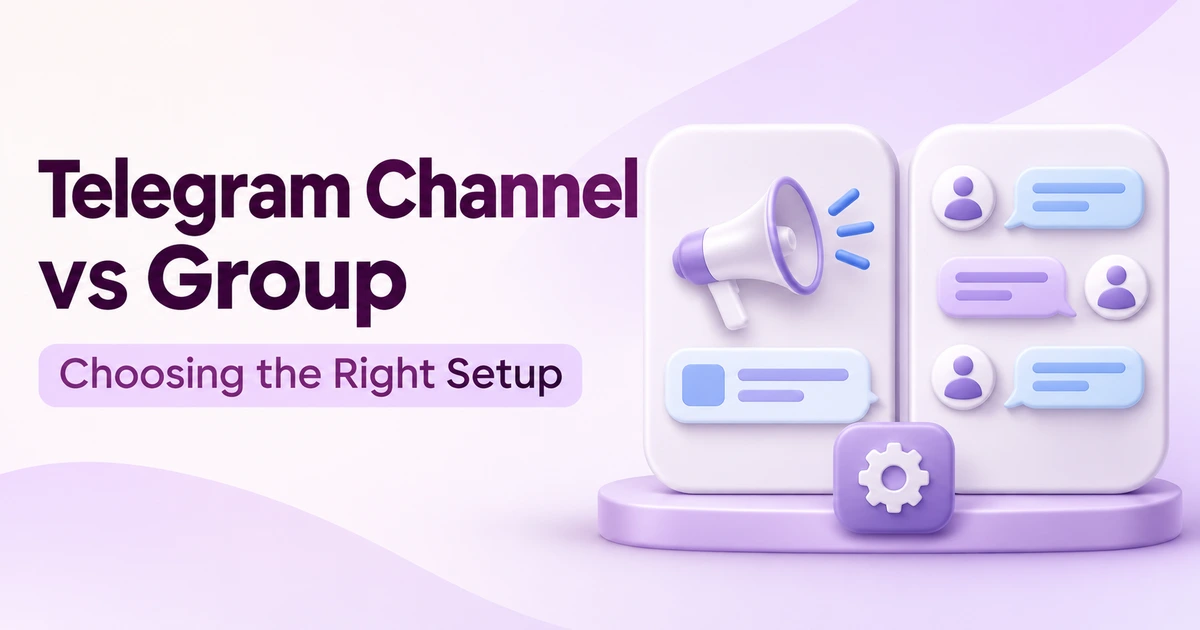
Telegram’s Channels FAQ describes channels as a broadcast tool. Subscribers receive the channel’s posts rather than taking turns filling the main feed. Groups are the conversational option, with permissions that administrators can configure, as explained in Telegram’s main FAQ.
| Your main need | Start with | Work to plan for |
|---|---|---|
| Publish schedules, releases or official updates | Channel | Accurate, consistent announcements |
| Let members ask, answer and collaborate | Group | Conversation rules and moderation |
| Keep announcements clear but allow discussion | Channel plus linked discussion group | Both publishing and moderation |
The third option is not automatically the most professional. It creates two places to maintain. If you only publish occasional opening-hour changes and already have a suitable support route, a discussion space may add work without solving a real problem.
Write the purpose in one sentence before creating anything: “This channel publishes our confirmed service notices,” or “This group answers general questions about preparing an order.” If the sentence contains several unrelated jobs, separate them or choose the most important one first.
A reseller example: separate updates from support
Illustrative scenario: a fictional SMM reseller has a customer announcement feed and is considering a discussion group. Customers ask general questions about choosing the correct public link, but they also need help with individual orders. The reseller has one person available to moderate. This is a planning example, not a report about BulkFollows customers or support operations.
A channel can hold confirmed notices. A linked group can accommodate general discussion, but it should not become the order ledger. Telegram documents that linking a discussion group adds a comment button to channel posts; comments appear in threads and in the discussion group. Before enabling that feature, the reseller needs a clear route for requests that should leave the public conversation.
- Publish the confirmed notice. State which service ID or process is affected, what is known and when the next update will be given. Do not repeat an unverified customer rumour as a business announcement.
- Answer the reusable question publicly. “Does this service need a post link or a channel link?” can become a useful explanation, provided it matches the actual service description.
- Move the individual case to support. “What happened to my order?” belongs in the established private support route with the order ID. Do not ask the customer to paste payment records or account details into the group.
- Close the loop without exposing the customer. If several requests reveal a confusing instruction, improve that instruction. Do not publish somebody’s private ticket as a group update.
For this reseller, a channel alone may be the better starting point. Add the group only if repeated general questions justify it and someone can maintain its boundaries. Publishing more notices is not the goal; helping customers find the right next step is.
Decide who should find and join it
Telegram says public channels can be found through search, while private channels require an invitation or an owner adding someone. Pick access to match the audience: a public reseller-announcement channel and a private staff discussion have different purposes. An invite-only label does not prevent a recipient from sharing an invitation or discussing what they saw.
Before distributing the link, write a short welcome message covering three things: what the space is for, what belongs in it and where to get individual help. For the fictional reseller, “Ask general ordering questions here; use our private support route for a specific order” is clearer than “Be respectful” on its own.
Decide who can publish announcements and who handles moderation. Give each helper a specific responsibility, rather than making everyone responsible for everything. Telegram supports administrator permissions; review the actual rights being granted instead of assuming an administrator title has the same meaning in every setup.
Share the invitation where people expect to receive it, such as your account help page or your own website. Avoid sending unsolicited invitations to strangers. Telegram’s channel guidance specifically cautions against unwanted messages and the resulting spam reports.
Test the setup before sharing the link
Ask a trusted colleague to review it as a participant, not as an administrator. An owner can easily miss a confusing permission or an instruction that only makes sense to the team that wrote it.
- Can the reviewer identify the official announcement feed without an explanation?
- Can they find the latest confirmed notice and the individual-support route?
- If comments are intended, can they tell where to ask a question?
- Are posting permissions consistent with the welcome message?
- Does an old invitation or outdated description point people somewhere unintended?
Use a harmless test question, such as asking where to find the required link format. Then test a second question about an individual order without including real customer data. Follow both from the customer’s view: the first should reach useful general guidance, and the second should reach the private support route. If it gets lost, fix the organisation before inviting a larger audience. More members will not resolve an unclear workflow.
You do not need to reproduce every setting in a public tutorial. App layouts change. Check the options shown in the version you actually use, and verify the result from the participant’s side.
Review whether it helps people
After the first week, ask whether the setup did its intended job. For the reseller, check whether customers found the service notice, whether private order requests were redirected correctly and which general questions kept returning. Keep a short log of those issues and the changes made.
A channel view counter is not a list of distinct customers. Telegram says its channel counts are approximate and include forwarded copies. Do not turn the figure into a customer-read rate or claim everyone accepted a service change. If confirmation matters, collect it through the appropriate account or support process.
For a group, activity volume alone is also incomplete. A long argument and a helpful answer both create messages. Review whether conversations are relevant and whether unanswered questions have an owner.
Keep the smallest setup that supports the job. Start with a clear announcement feed if that is all you need. Add conversation when there is a genuine reason for it and someone available to look after it.
Where a Telegram SMM panel fits in this setup
If you are comparing a Telegram SMM panel for a channel or group, separate the service you can order from the community you want to build. A service description may specify a quantity and delivery conditions. It does not establish that participants will discuss your topic, place an order or become repeat customers.
BulkFollows’ Terms of Service describe its services as supporting a profile’s visual appearance, not replacing authentic audience growth. That distinction matters here: an orderly channel and a well-run discussion group still need useful content, clear instructions and someone accountable for moderation.
Check the destination before the service
A reseller evaluating a Telegram service first needs to decide whether the intended destination is the announcement channel, its discussion group or a particular post. Those are different targets. Before placing an order, read the service’s exact link requirements rather than assuming any Telegram URL will work.
- Confirm the service details in your account. Check the current service ID, eligible destination, quantity limits and calculated charge. This guide does not verify the availability of a particular Telegram package.
- Read the conditions. Review delivery estimates, refill and cancellation provisions, and the relevant platform rules. Do not treat an estimated time as a guarantee.
- Keep order evidence separate from community results. Record the order ID and status, then independently assess whether your channel instructions and discussions are useful.
The BulkFollows ordering walkthrough explains the account, funding, ordering and tracking steps. For resellers integrating order handling, the API documentation covers service lists and order-status requests. These tools manage transactions; they do not run your Telegram group or measure the quality of its conversations.
Choose against written conditions, not a promise that a larger member counter will solve an unclear community purpose.
Sources & further reading
- Telegram Channels FAQ · Checked 16 November 2026. Broadcast channels, access, linked discussions and view-count limitations.
- Telegram FAQ · Checked 16 November 2026. Groups and configurable permissions. Telegram notes that its FAQ may lag product changes; this guide avoids version-specific menu instructions.
- BulkFollows ordering walkthrough, API documentation and Terms of Service · Checked 16 November 2026. Ordering, status tools and service limitations.
